Keeping office supplies organized and in stock can really make a difference in how smoothly any office runs. I’ve seen that when you run out of something like printer paper or sticky notes, it can bring a productive day to a standstill. That’s why setting up a smart inventory and reorder system for office supplies is not only practical, but it can actually save headaches and money down the road. If you want to keep ahead of your office supply needs, follow this guide for putting together an effective to-do list and system. By the end, you’ll have actionable steps and admin tips to keep your office running without supply shortages or unplanned purchases.
Understanding Office Supply Inventory Management
Managing office supplies is more than stacking extra pens in a drawer. Good inventory management helps avoid overordering, keeps costs down, and ensures everyone has what they need to get their work done. I’ve found that just a little structure can speed up the whole process and stop those last-minute scrambles.
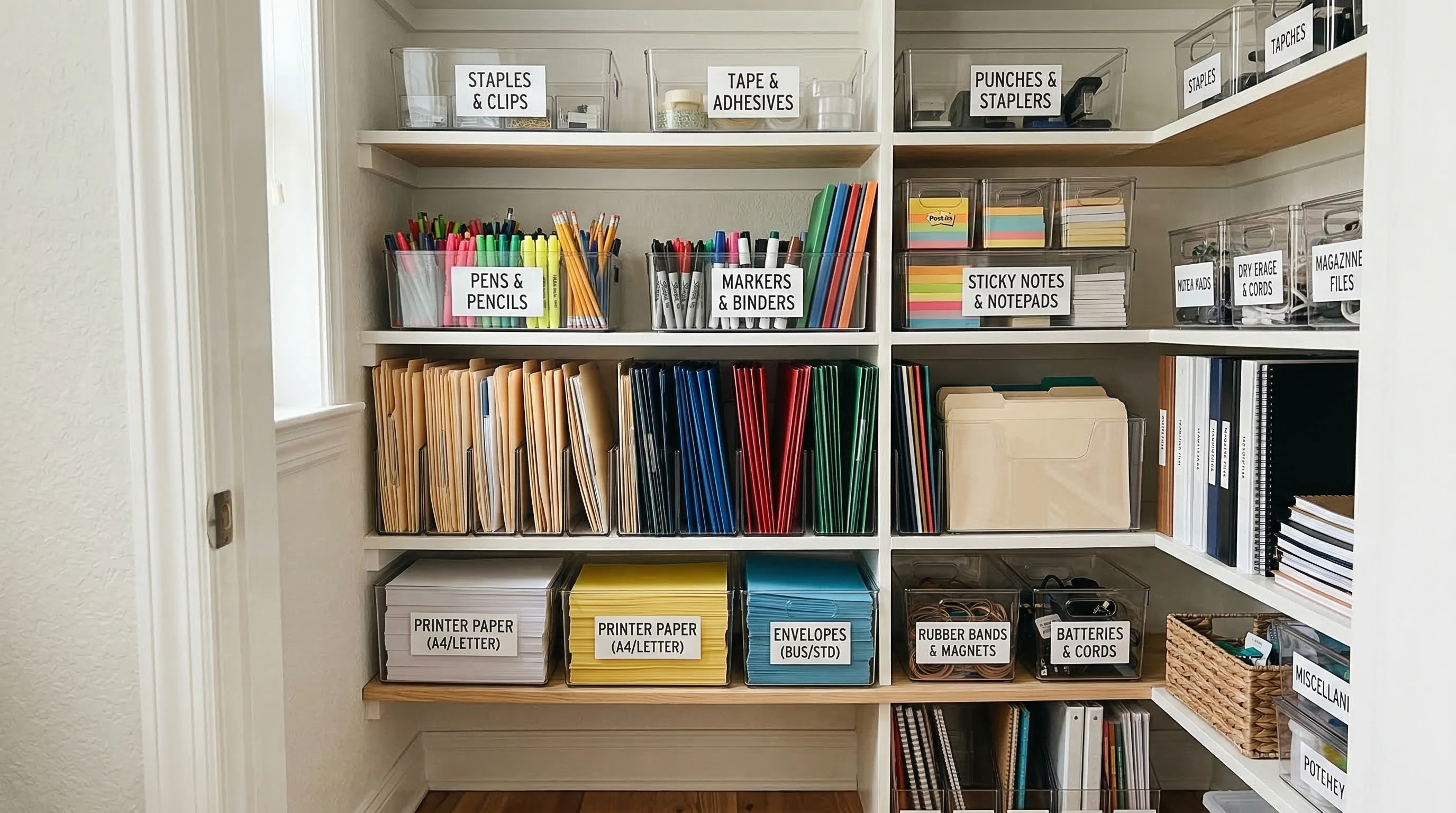
Most offices use a mix of everyday basics, from pens and highlighters to toner and shipping labels. Tracking what you have, what you use, and what needs to be restocked takes the guesswork out of supply shopping. Plus, having an organized system is just a good look for office admin efficiency. When coworkers know exactly where to find what they need, you’ll notice fewer interruptions during the day and less confusion about who used up the last box of paper. Inventory management isn’t just a task—it’s a small but powerful way to give your office a boost.
Key Elements of an Effective Inventory and Reorder To-Do List
A strong to-do list does more than remind you to buy more paper; it keeps you sharp and helps make sure supplies flow in as needed. Here are the pieces I always include and why each matters:
- Current Inventory List: A clear record of what’s in stock right now, broken down by item type and location. This gives you a snapshot and helps spot what’s running low at a glance.
- Usage Tracker: Notes or logs on how fast certain supplies run out. This is super useful for deciding how much to order next time. Some offices jot usage down daily, while others track by week or month.
- Par Levels: The minimum number of items you want on hand before it’s time to reorder. For example, when there are only two reams of printer paper left, it triggers a restock. Setting par levels avoids both stockouts and overfilling your storage.
- Supplier Contact Details: Quick access to vendors for when it’s time to place orders—keep websites and rep names handy, too.
- Order History: A record of previous purchases helps with budgeting and tracking down favorite brands or best prices. A quick look at your order history is perfect when someone asks about last quarter’s spending.
Building your office supply to-do list around these pieces keeps things easy to review and update, even during a busy week. An organized checklist not only streamlines your restocking process but also gives you the info you need to answer questions or make budget adjustments fast.
Step-By-Step Guide: Setting Up Your Office Supply Reorder To-Do List
- Take Inventory: Walk through your workspace and count up all office supply basics. Write everything down, grouping by type (like writing tools, paper, cleaning supplies, tech accessories, breakroom items, etc.). If things are spread between closets or supply rooms, make a note of each location. This first step helps you get a sense of what’s where, which is especially useful in larger offices.
- Record Current Stock Levels: Mark down the exact amount for each item. If you have half-used boxes, estimate but try to keep it on target so your restocking stays accurate over time. Use a simple chart or checklist for each area where supplies are kept.
- Set Par Levels: Figure out the level where low stock means it’s time to reorder. Look at how quickly things run out. If you burn through a box of coffee pods every two weeks, set your par level so you never run dry. Par levels should reflect your team’s usage patterns and leave a cushion for unexpected busy periods.
- Check Usage Patterns: Track which items disappear the fastest. Sticky notes, for example, might vanish in a busy office, while staplers can last years. Tailor your par levels and order frequency around these patterns. Adjust as your team grows or habits change.
- Put Together a Reorder Template: Whether you use a spreadsheet, specialized software, or just a shared Google Doc, create a simple table that includes:
- Item name
- Current stock
- Par level
- Date checked
- Order needed (yes/no)
- Notes (for brands, price updates, or location changes)
- Schedule Regular Checks: Set reminders to check your inventory weekly, biweekly, or monthly. Consistency is key for staying ahead—it prevents those stressful last-minute orders or accidental overstocking. Try tying inventory checks to another regular office task so it becomes a habit.
- Order and Update: When something hits its par level, order right away and update your list. Tracking your actions helps you spot seasonal trends, like using more paper during tax season or extra cleaning supplies in winter. Keeping the list current saves time and reduces confusion about what’s been ordered.
Common Pitfalls in Office Supply Inventory (and How to Avoid Them)
- Inconsistent Counting: Skipping checks or doing them at random times means stock levels can go off. Sticking to scheduled audits solves this. Setting recurring calendar notifications is an easy help. This eliminates a lot of headaches and helps your feel in control.
- Not Updating the List: If you forget to update stock numbers after restocking or using up supplies, you’ll lose track fast. It’s really worth doing this in real time or as soon as you receive and unpack new items.
- Ignoring Actual Usage: Don’t just take a wild guess at how much your office uses. Take note of busy periods (like end-of-quarter report time) when items get used up faster, and adjust your orders accordingly. You’ll save money and cut down on waste.
- Ordering Only From One Supplier: It’s worth checking around for better deals or promotions, especially on big orders or specialty items. Many suppliers price match or offer discounts to regular clients, so ask about any promotions or loyalty programs.
Tech Tools That Boost Inventory Efficiency
Office supply inventory doesn’t have to be a paper-and-pencil operation. There are lots of digital options that can make things easier and cut down on mistakes:
- Spreadsheets (Excel or Google Sheets): Simple, flexible, and easy to share. Perfect for small to large offices. You can use formulas to highlight items that hit their par level or track trends over time.
- Inventory Apps: Apps like Sortly, Officewise, or Zoho Inventory automate the process and can alert you when items hit their reorder point. Many of these have mobile versions, which make checking supplies on-the-go a breeze.
- Supplier Portals: Many larger office suppliers let you create shopping lists, set standing orders, or get delivery tracking from their websites. Some even offer spend analysis to help you get the best deals each year.
Mixing in digital tools with your office supply process makes tracking, reporting, and audits quicker. Plus, you can often pull reports to hand off to management or just double-check your own work if questions pop up. Don’t be afraid to experiment and see which tech fits best with your workflow.
Real-World Example: My Go-To Office Supply Checklist
I’ve put together a sample checklist based on what’s worked for me and other admin pros I’ve met. Here’s what’s usually on my list, and you can add or subtract items to match your own office:
- Printer paper (A4/Letter and specialty sizes)
- Pens: blue, black, red ink
- Highlighters and markers
- Sticky notes and notepads
- File folders and envelopes
- Toner and ink cartridges
- Binder clips, paper clips, staplers, staples
- Whiteboard markers and erasers
- Coffee, tea, singleserve pods
- Cleaning wipes, hand sanitizer, paper towels
- Batteries and tech charging cables
Tailor your list to what your office actually uses. If you never print in color, skip those expensive toner refills. If you have a partly remote team, adjust orders so you’re not overstocking snacks or breakroom items. The best checklist is one that matches your team’s daily flow.
Trouble-Shooting Questions and Admin Tips
Here are a few common questions about supply inventory, plus what’s worked for me so you can skip the hassle and make your system work smoothly from the start:
Question: How do I convince team members to help with tracking?
Tip: Make it super easy for everyone to note when they use the last of something—try a clipboard or a quick digital form. People are more likely to cooperate if the process isn’t a hassle, and you’ll build a culture where supplies are everyone’s responsibility.
Question: What’s the best way to avoid overordering?
Tip: Stick to your inventory records and update them every time you place an order. If something isn’t moving, flag it and maybe skip it next cycle. Also, take advantage of supplier reporting tools if offered.
Question: Can I automate any of this?
Tip: Many suppliers offer standing orders or subscription deliveries for basics, so you always get what you need without reentering info every month. If your office is especially busy, try integrating software with your supplier portal so purchases happen quickly and reliably.
Keeping Office Supply Management Simple & Effective
An organized approach to office supply inventory is really important for any admin team looking to cut down on wasted time and unplanned spending. With a straightforward to-do list and the habit of regular check-ins, anyone in charge of supplies can keep things running super smoothly. Plus, a few digital tools and some practical strategies make managing office supplies a lot easier than it looks at first glance.
I’ve noticed that offices where supplies are easy to find and restocked regularly just flow better. Most importantly, simple steps in your supply management checklist take stress off admins and help everyone stay focused on what really matters: their work tasks and team goals. Consistency is more important than fancy tools, so start where you are and improve your process over time. Staying organized is the best way to keep your office humming along—no more empty shelves or panicked runs to the store in the middle of the day. If you have other ideas, please drop them in the comments area below.