
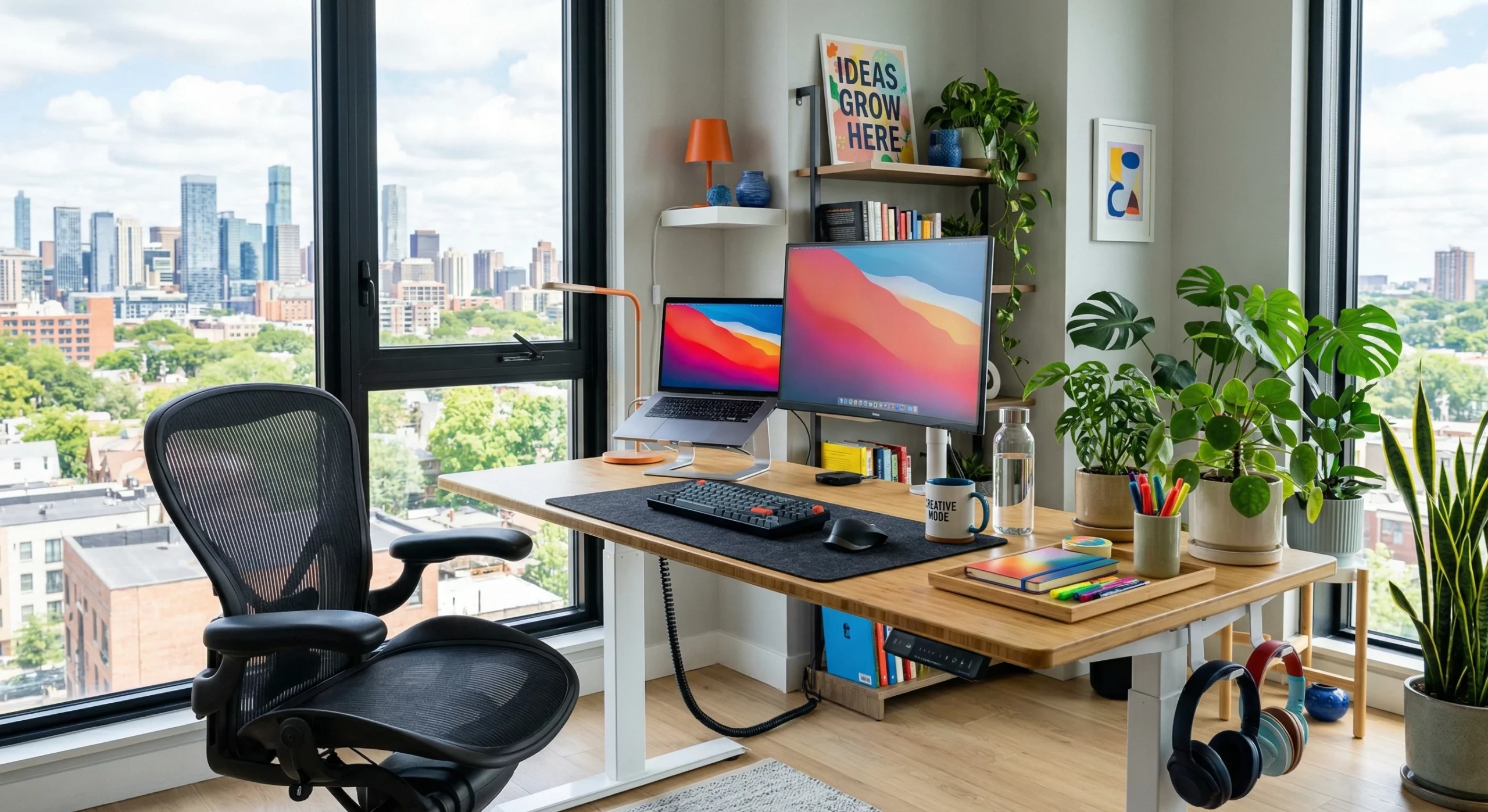
Workplace strain hits a lot harder than most people think. Those little aches and pains you feel after a day at the desk can often build up gradually. I’ve learned these strains can turn into bigger issues like chronic back pain or sore wrists if you ignore them. Focusing on ergonomic tips and smart setup choices can help you tackle these problems before they get serious, so I’m here to share the most useful advice I’ve picked up on ergonomic workspaces, both from my experience and what I’ve seen work for others.
Why Ergonomics Matter for Everyday Health
People tend to spend more time at their desks than ever before, which is why I really watch for the warning signs of discomfort. Your setup affects not just your comfort, but your energy, mood, and productivity throughout the day. Research from the Occupational Safety and Health Administration (OSHA) shows that thoughtful ergonomics reduce fatigue and even help prevent repetitive strain injuries.
Ergonomics is all about fitting your job and workspace to your body’s natural movements. I’ve seen firsthand that small changes, like moving your monitor or swapping out your chair, make a big difference. Preventing strain now means fewer aches later.
Optimizing Your Workspace for Comfort
Setting up your space with comfort in mind calls for a little planning and observation. I always encourage people not to just accept what they have; adjustments can help you feel better after a full workday. Here’s what I focus on:
- Desk Arrangement and Entryways: Place your desk so it faces the doorway or at least lets you see easily who’s coming in. This gives a sense of openness and keeps distractions to a minimum. Try not to position your back to the door, as having your entryway in sight helps with focus and peace of mind.
- Declutter for Movement: Leave enough space under and around your desk so you can extend and move your legs freely. This is especially important if you’re planning to mix between sitting and standing.
- Use Smart Storage: Keep the things you use all the time, like your keyboard, mouse, and phone, within easy reach. Stretching or twisting repeatedly isn’t great for your body.
The Role of Natural Light and Workspace Colors
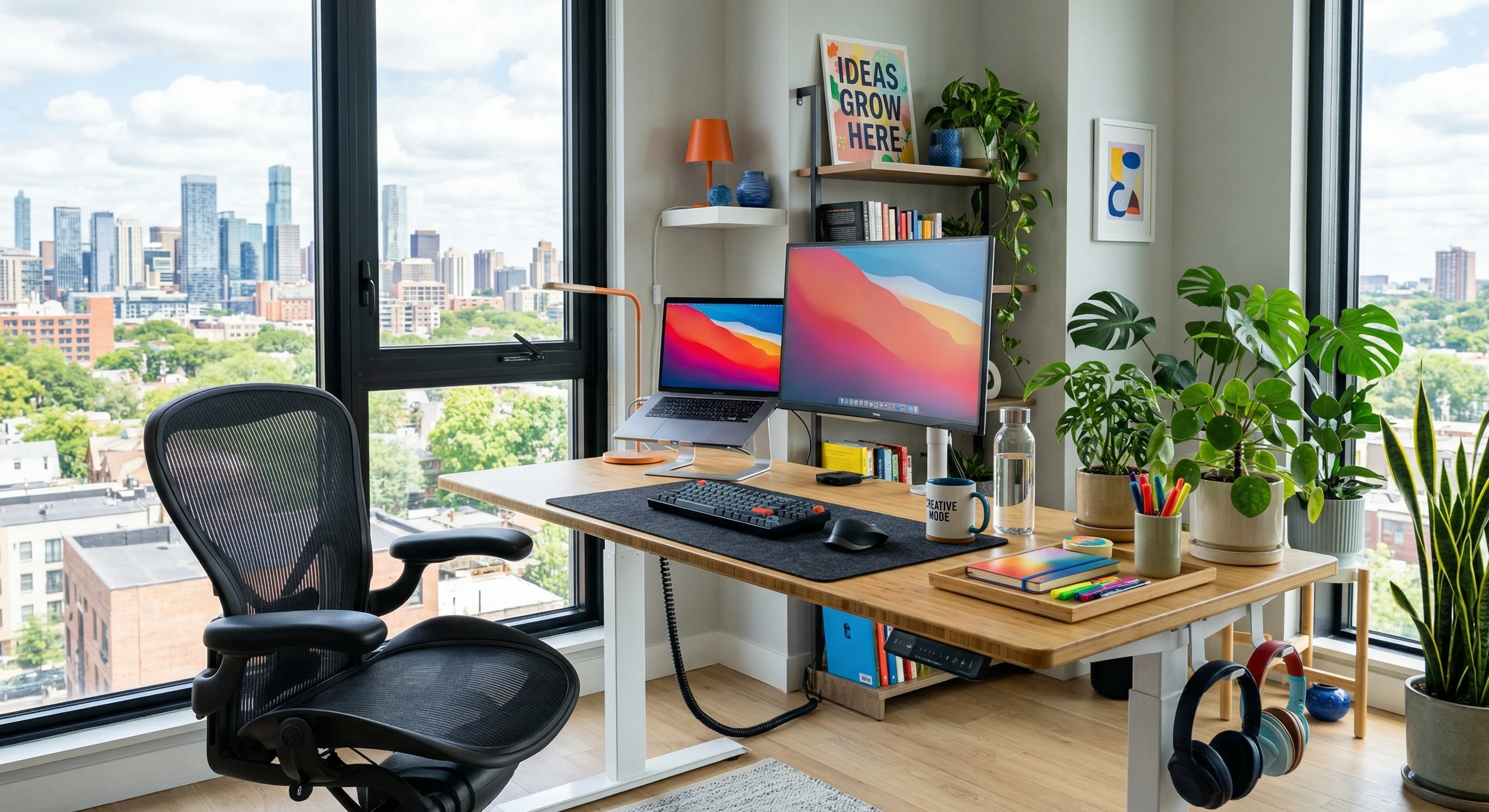
Natural light helps to shore up your mood and keeps your eyes feeling fresh, even during long days. I always set up my desk near a window if possible. This cuts down on eye fatigue and lowers stress. If you don’t have a window, mimic daylight by choosing bright, neutral overhead bulbs that don’t give off harsh glare.
Color isn’t just about looks. Calming blues and greens help me relax, while a pop of yellow or orange gives me a little boost of energy. For shared offices, a soft, neutral base with accents in your favorite shade can keep things welcoming while avoiding distractions. Plants are also worth adding if you can; greenery lifts a workspace and helps clean the air. Adding small plants like succulents or ferns can make your desk feel less sterile and more inviting, while studies show they may help lower stress levels as well.
If your office doesn’t let you use real plants, consider high-quality artificial ones for a similar visual effect. Artwork or motivational posters in soft, inspiring colors can also give your space a unique touch that keeps you motivated throughout the day.
Choosing and Arranging Your Desk and Monitor
Picking the right desk is more than just a matter of size. I pay close attention to height and surface area. Here are a few practical things to look for:
- Sit Stand Desk Options: Sitting all day isn’t great for anyone, and neither is standing the entire time. I’ve had good results with desks that let me easily switch between the two. Even an affordable sit stand converter you put on top of a basic table can make a difference. The trick is to alternate between sitting and standing throughout the day which helps prevent stiffness and helps with blood flow.
- Monitor Height and Position: Your monitor needs to be right at eye level. The top of the screen should line up with your eyes when you’re sitting or standing up straight. This helps keep your neck happy and avoids slumping. Place the screen about an arm’s length away; too close and your eyes strain, too far and you find yourself leaning forward.
If you use multiple screens, set your main monitor front and center. Secondary screens should be at a similar height, so your eyes and neck don’t twist unevenly. Laptop users can try a separate keyboard and mouse with the laptop elevated for a healthier setup.
What Makes a Good Office Chair?
Picking a comfy chair is honestly one of the most important parts of creating a pain-free workspace. Even a standup desk setup benefits from a great chair, for when you’re sitting. Here’s what I always look for:
- Proper Lumbar Support: The best chairs support the natural curve of your lower back. Without this, I notice myself slouching or getting stiff pretty quickly. Some chairs come with adjustable lumbar pads, while others have built-in curves made for your back. Find one you are comfortable with.
- Adjustable Height and Armrests: Set your seat height so that your feet rest flat on the floor, and your knees make a right angle. Armrests should lift your elbows slightly and allow your shoulders to relax, which keeps you from tensing up.
- Breathable Material: Mesh or similar fabrics keep you cool during longer work sessions. If you’re choosing a leather or padded chair, just make sure it lets heat escape easily.
If you share a workspace or don’t have access to expensive chairs, try adding a lumbar roll or cushion to standard seating for more comfort. For extra-long days, I’ve found that a small pillow under the thighs can help relieve pressure.
Everyday Movement and Microbreak Strategies
No amount of ergonomics fixes everything if you stay frozen in one spot. Regular movement is super important. I build little movements and breaks into my routine to keep everything from getting stiff. Here’s how I approach it:
- Short Stretch Breaks: Every half hour, even a quick stretch, shoulder rolls, neck turns, and reaching up helps fight off fatigue.
- Walk Whenever You Can: Taking phone calls while standing or walking, safely using the stairs instead of the elevator, and making trips to refill water or coffee keep your muscles active.
- Mix Up Your Tasks: Switching between typing, reading documents, and using a phone helps use different muscles so nothing gets too taxed for too long.
Set calendar reminders or use a free break timer app to tell you when it’s time for a standup or stretch. Pairing these microbreaks with a quick drink of water is a good way to make sure you’re moving more and staying hydrated at the same time.
Common Mistakes and Quick Fixes
- Leaning Forward or Slouching: Fix this by moving your monitor closer or raising it, and by reminding yourself to sit with your back against the chair.
- Improper Keyboard or Mouse Placement: Both should sit close to you and at about elbow height. Your elbows should stay at your sides, with wrists straight, not bent up or down.
- Neglecting Eye Comfort: Make sure screens are free of glare and adjust your computer for larger text if you find yourself straining. 20-20-20 is a fun rule to remember: every 20 minutes, stare at something 20 feet away for 20 seconds.
Another fix: If you notice tingling or numbness in your fingers, check that your wrists aren’t pressing into the desk edge. Try a soft wrist pad or roll up a towel for extra support. You’ll be happy you remembered these little things that are yet so beneficial.
Extra Tips for Personalized Ergonomic Comfort
Every person is a little different, so finding what works for you is key. I’ve helped friends try out things like footrests (really handy if your feet don’t fully reach the ground), cushions for hard chairs, or standing mats if you’re using a sit stand desk. Ergonomic accessories, such as keyboard trays or vertical mice, are worth checking out if standard gear isn’t quite working for you.
For those with lots of screen time, blue light blocking glasses or software to soften blue light in the evening can help keep your sleep patterns steady. Don’t forget old-school solutions either, like swapping your mouse hand every so often or using speech to text if you type a lot. If you spend a lot of time on the phone, consider using headphones or a headset to avoid pinching the device between your shoulder and ear.
If you often work from different locations, try to keep a checklist of ergonomic must haves (like your mouse, wrist cushion, or laptop riser) handy. This way, wherever you set up, you can still look after your posture and comfort. This makes a difference to travelers.
Frequently Asked Questions
How can I tell if my workspace is causing strain?
Watch for nagging aches, regular headaches, tingling in your wrists or hands, or dry eyes by the end of the workday. These symptoms mean your setup could use some changes.
What’s the easiest ergonomic change I can make?
Adjusting your monitor height is probably the quickest win. Even a stack of books will work if you don’t have a fancy stand.
Is natural light really that helpful?
Exposure to sunlight keeps sleep and stress levels in check, and most people feel more awake and positive when working by a window if possible.
Can I still get strains with a sit stand desk?
You need to keep moving and shift positions regularly, no matter what type of desk you have. Standing still for hours puts as much strain as sitting all day.
Building an ergonomic workspace takes some experimenting and honest assessment, but it’s worth every bit of effort. When your space feels good and works with you, daily work just gets easier, and your body will thank you. With the right adjustments, you can stay sharp, productive, and comfortable even during those marathon workdays. Start small, listen to your body, and tweak your environment until everything fits just right. I hope you’ve appreciated this article if you did leave a comment below. Thanks for visiting my site.