
Most advice on meeting fatigue assumes the reader can simply cancel the meeting, shorten the invite list, or tell their manager that Tuesday’s standup is pointless. If you are an administrative assistant or office coordinator, you usually cannot do any of that. You can, however, control how the thirty or sixty minutes you are given actually get used. That distinction matters more than most meeting advice admits: the fix for meeting fatigue is not attendance politics, it is facilitation mechanics, and facilitation mechanics are exactly what admins already touch every day through agendas, minutes, and the clock on the wall.
This piece is about those mechanics specifically; the moves you can make inside a meeting you do not own.
Why back-to-back meetings drain admins faster than other roles
An executive who attends four meetings a day gets to speak in one and listen loosely in the other three. An admin running or supporting those same four meetings is tracking the agenda, watching the clock, taking notes, managing the slides, and often fielding side questions about logistics at the same time. The cognitive load is different in kind, not just volume.
There’s also a structural reason admins absorb more fatigue: they tend to be in the meetings before the meeting and after the meeting, too. Setting up the room or the call, confirming attendees, formatting the notes, and chasing follow-up actions all happen around the edges of the calendar block, invisible to everyone else in the room. By the time the fifth meeting of the day starts, an admin has already done a full extra meeting’s worth of unseen work.

None of this requires a manager’s permission to fix. The facilitation gaps below are the actual mechanism by which meetings run long and leave people depleted, and they are gaps an admin is often best positioned in the room to close.
The three facilitation gaps that turn a 30-minute meeting into an hour
Almost every meeting that over-runs does so for one of three reasons, and all three are fixable from inside the meeting rather than from the invite list.
No stated decision. The meeting opens with a topic, not a question that needs answering. Without a decision to reach, discussion has no natural stopping point, so it keeps going until someone glances at the clock.
No visible timer. When nobody in the room is tracking time against the agenda, the group drifts toward whichever topic generates the most conversation, not the one that was scheduled for the most minutes.
No close. The meeting ends when the conversation runs out of energy, not when the agenda items are finished. This is how a thirty-minute meeting becomes fifty-five: the last ten minutes are spent circling a point that was actually resolved fifteen minutes earlier.
Each of these is a structural hole, not a people problem. You do not need authority over attendance to patch them. You need an agenda that is built differently, an opening that sets expectations, and a habit of naming the clock out loud.
Building an agenda that forces a decision instead of inviting a discussion
Most agendas list topics: “Q4 budget,” “Client onboarding update,” “Office move timeline.” A topic invites open-ended talk because it doesn’t ask anyone to land anywhere. Rewrite each agenda line as a question with a decision attached, and the same meeting gets a natural finish line.
Compare these two versions of the same agenda item:
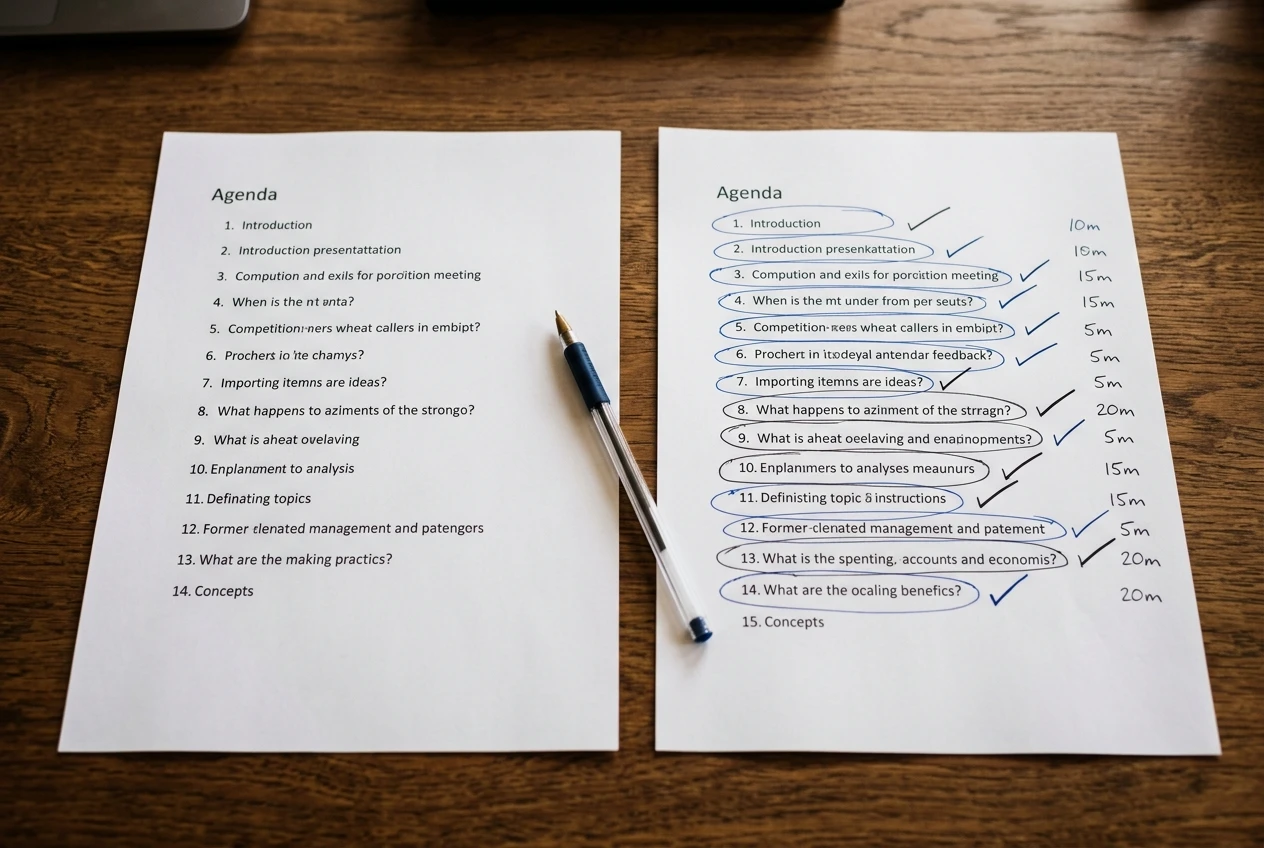
- Topic version: “Office move timeline”
- Decision version: “Confirm: do we move the week of the 9th or the 16th?”
The second version tells everyone in the room what “done” looks like before the discussion starts. If you build or format the agenda, even when someone else owns the meeting, you can propose this framing in the draft you send out. Most meeting owners will accept a tighter agenda without objection, because it makes their meeting easier to run too.
Attach a rough time allocation to each decision item. You don’t need to defend the numbers in the moment, you just need them visible, so the group has a shared reference point.
The two-minute opening that cuts a meeting’s mental tax before it starts
A meeting that opens with “so, where should we start” costs the room several minutes of warm-up thinking before anyone says anything useful. A two-minute opening removes that tax.
The opening has three parts: name the decisions on the table, name the time available, and name who needs to weigh in on which item. It sounds almost too simple to matter, but it does the real work of telling everyone’s brain what kind of meeting this is before the discussion starts, rather than letting people figure it out on the spot.
As the person taking notes or running logistics, you are often the one best placed to say this opening out loud, even if someone more senior technically owns the meeting. Framing it as a housekeeping note, not a challenge to their authority, makes it easy for them to let you do it: “Just to keep us on track, we’ve got three decisions today and forty minutes, I’ll flag time as we go.”
Timeboxing tactics you can use even when you are not the meeting owner
Timeboxing doesn’t require being in charge. It requires someone willing to say the time out loud, and that’s a role admins can take without stepping on anyone’s authority.

A few tactics that work from a non-owner seat:
- Verbal time-checks. A simple “we’ve got about eight minutes left on this item” said at the right moment redirects a drifting conversation without anyone feeling cut off.
- Visible timers. A shared screen with a countdown, or even a phone timer placed face-up on the table, does the redirecting for you. People self-correct when they can see the clock rather than hear it from a person.
- Parking lot notes. When a tangent starts, write it down visibly under a “parking lot” heading instead of letting it run. This signals the point was heard, not dismissed, which is usually enough to let the group move on.
- Pre-agreed signals. If you take minutes regularly for the same group, a quiet word beforehand with the meeting owner, “I’ll give you a nod at the ten-minute mark,” turns you into an ally rather than an interrupter. This one I use a lot it works seamlessly.
None of these require you to own the room. They require you to be willing to name time out loud, which is a facilitation skill, not a seniority one.
Ending a meeting before it drifts into a second topic
The moment a meeting’s stated decisions are made, the highest-value thing anyone can do is end it, even if there’s time left on the clock. Most meetings drift into a second, unplanned topic precisely because nobody names that the first topic is finished.
A clear close sounds like: “So we’ve confirmed the move date for the 9th, action items go to Sarah and James, anything else needs its own meeting.” That last clause matters. It gives people permission to raise new topics separately instead of folding them into the current meeting, which is usually where the unplanned thirty extra minutes come from.
If you’re taking minutes, you’re in a strong position to prompt this close, because you’re the one who can see, in writing, that the agenda items are done.
Turning this into a repeatable template for recurring meetings
A single well-run meeting is useful once. A template is useful every week. If you support a recurring meeting, build these mechanics into the standing agenda document itself rather than reinventing them each time:

- Each line item phrased as a decision, not a topic
- A time allocation next to each item
- A fixed two-minute opening script you can adapt slightly each week
- A parking lot section built into the document, not improvised on paper
- A closing line in the template itself, so ending on time becomes the default rather than an exception
Once the template exists, running the meeting well stops depending on anyone remembering to do it. The structure does the work.
This matters beyond the meeting room too. Meetings that run long and leave decisions unresolved are one of the most common reasons admin work spills into evenings, when someone has to chase the follow-ups that should have been settled live. If that pattern sounds familiar, pair these facilitation habits with Setting Boundaries Between Work And Home Life to stop meeting fatigue from turning into after-hours catch-up work. These processes will work if you implement them. Meetings become much less stressful and instead progress is seen and felt.